
Draw the template once, write the data in a spreadsheet and Stella draws every component: previews, PDFs for printing, decks, tokens, tiles, boards and dice ready to load into Tabletop Simulator, and the rulebook with the real cards inside. Free software, for Mac, Windows and Linux.
looking for the latest version…
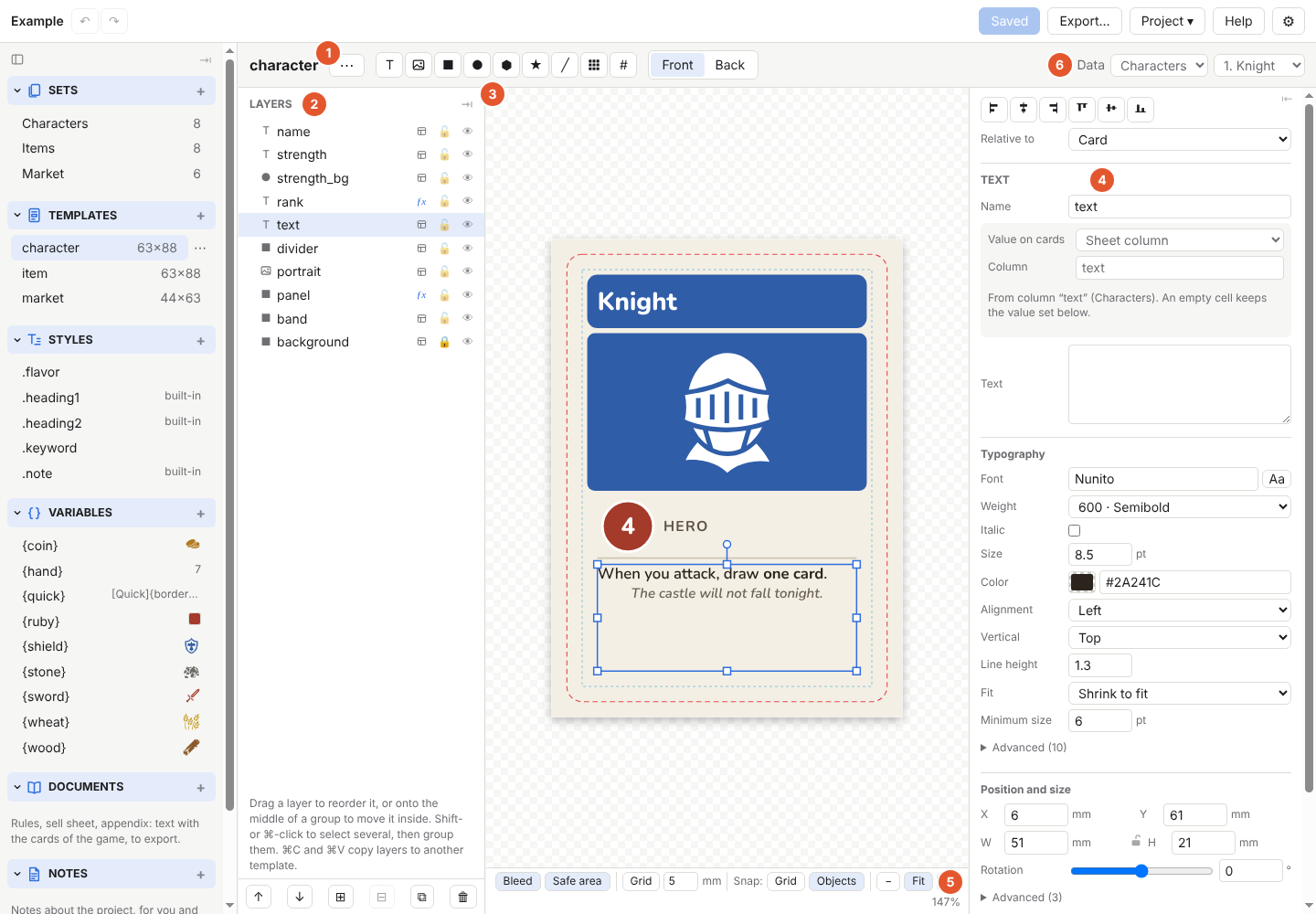
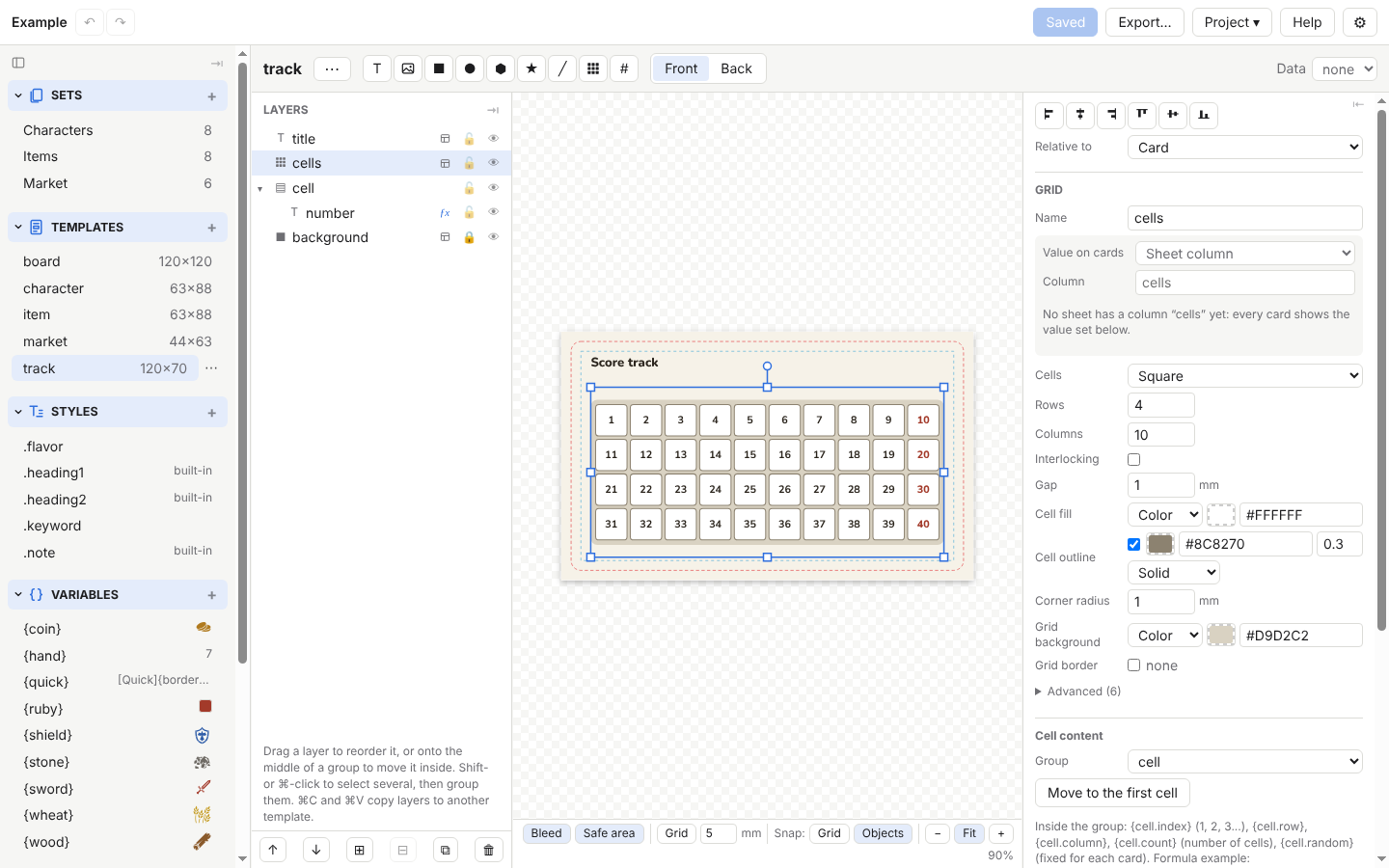
Text, images, shapes, icons and grids; every layer can take its value from a sheet column or a formula.
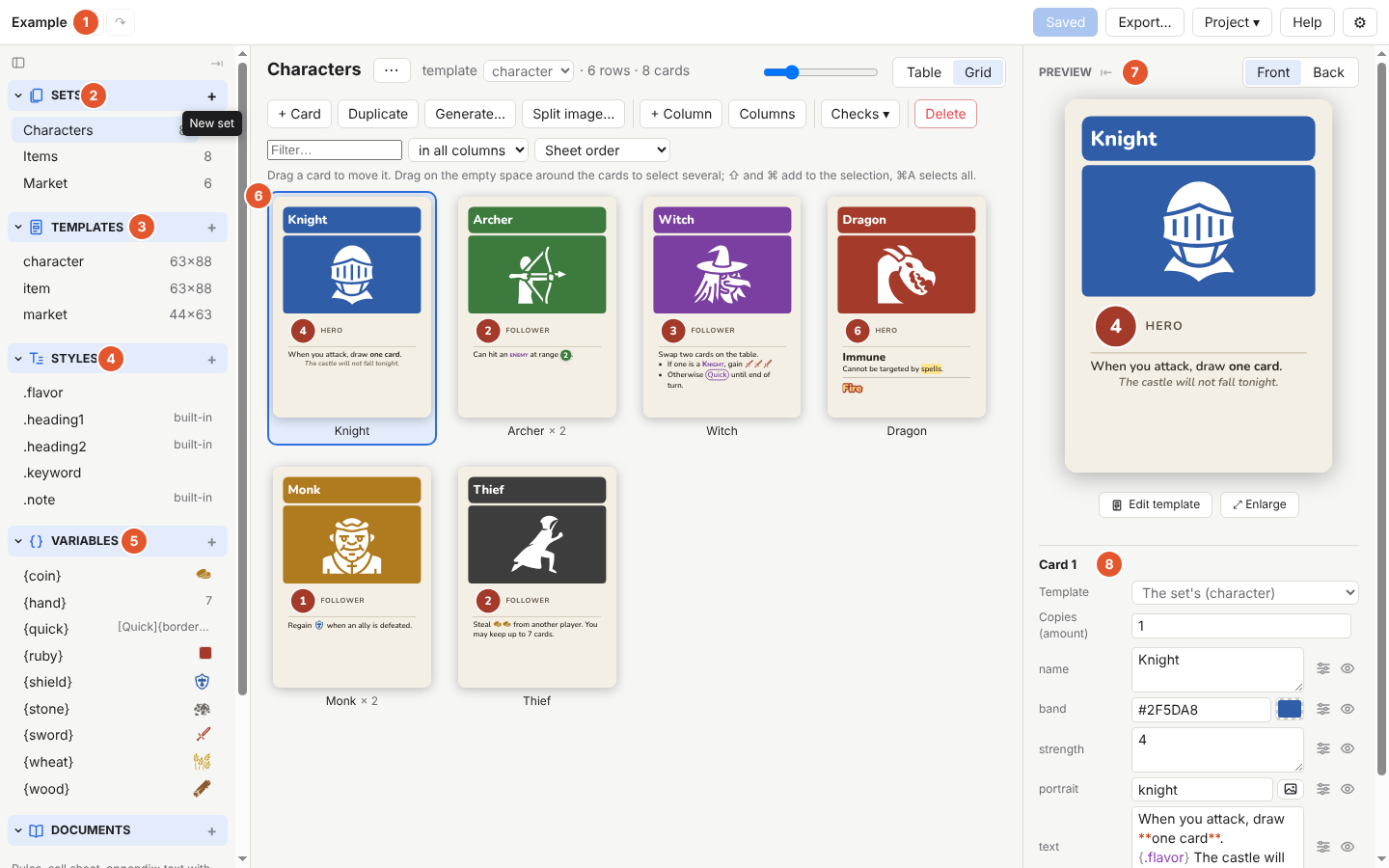
Each card set is a sheet: one row per card. Edit in the app or in Excel, Numbers and Google Sheets, and the cards follow.
Bold, colours, icons and variables inside the card text, with shared styles and translations in several languages.
PDFs with crop marks and duplex, single images, and ready-made Tabletop Simulator objects: decks, tokens, tiles, boards and six-sided dice, loaded into the game as they are.
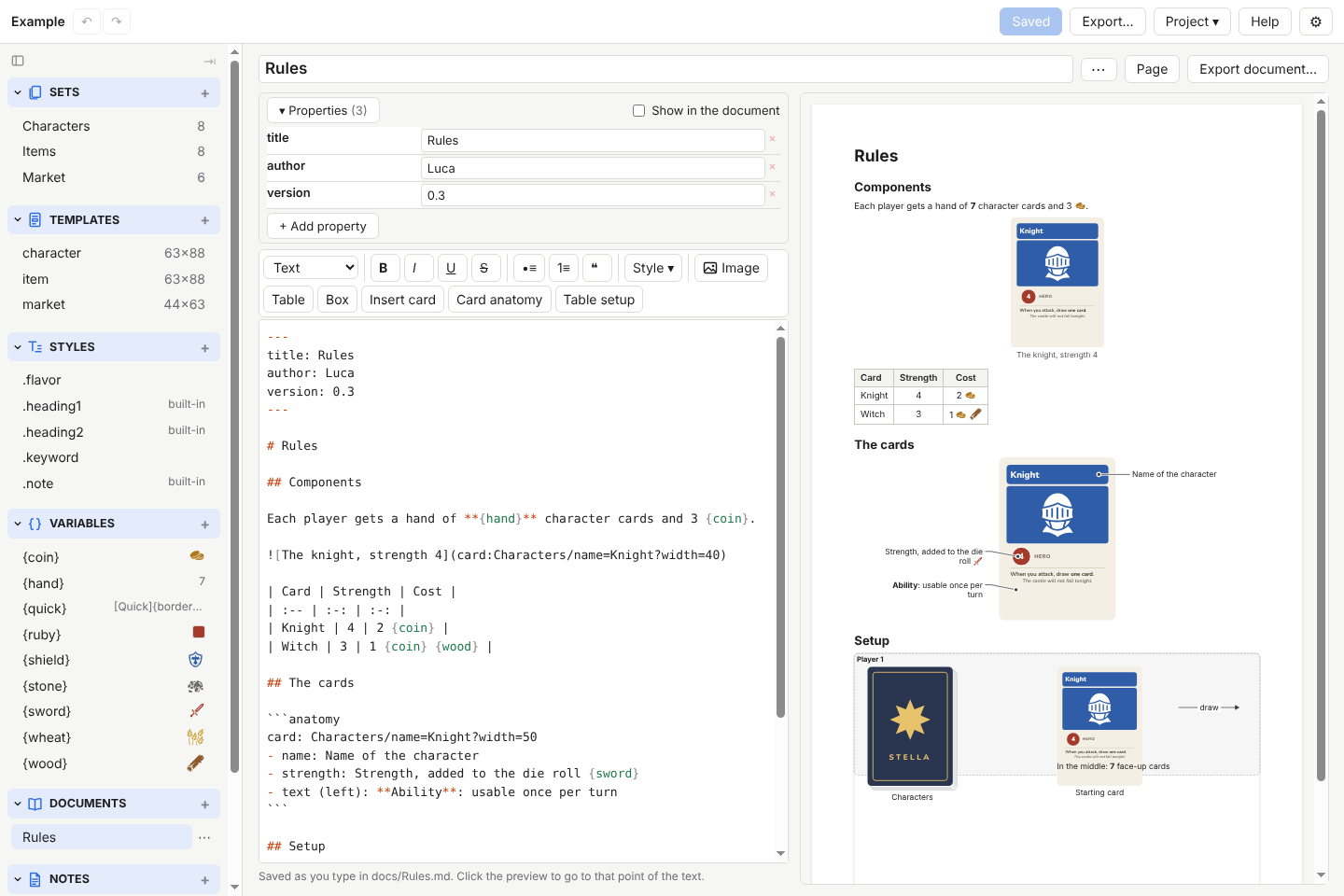
Markdown documents show the real cards, the card anatomy and the table setup, and export to PDF, Word and HTML.
Tabletop Creator projects open and convert, with templates, data and images.
The latest stable version is {version}. Stella is not signed with an Apple or Microsoft certificate: macOS and Windows ask for confirmation the first time.
Open the .dmg and drag Stella to Applications. On first launch: System Settings → Privacy & Security → Open Anyway.
If SmartScreen says “Windows protected your PC”: More info → Run anyway.
Make the AppImage executable (chmod +x); it needs libfuse2.
Stella is free: if you find it useful, you can buy me a coffee with PayPal.
The web version is the same app in Chrome, Edge or Opera, for computers where nothing can be installed. It works on the same projects on your computer, with a few features less.
Short videos, no voice: the text appears next to what to look at.
The first videos are coming soon.
Every feature, chapter by chapter, with screenshots. It is read on GitHub.
Open the guide (English) Guida utente (italiano)The stella command and a skill let an agent edit templates and data.
Read docs/cli.en.md